
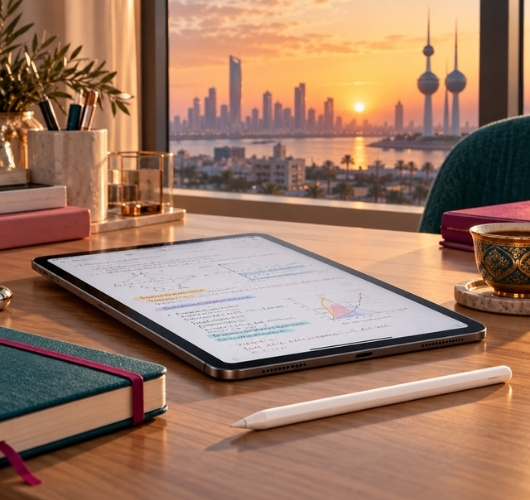
Best Apple Pencil and iPad Stylus in Kuwait 2026: For Study, Drawing and Note-Taking
The Right Pencil for Your iPad, First Time
Genuine Apple Pencils and budget styluses delivered across Kuwait
You order an Apple Pencil, it arrives, and it will not pair with your iPad. It is the most common mistake in this category, and the cause is simple: Apple now sells four generations of Pencil, and each one works only with specific iPad models. The most expensive pencil is not automatically the right one for you.
The decision starts with your iPad model, then your daily use: lecture notes and PDFs, drawing and design, or signing and selecting text. At Sheeel you will find genuine Apple Pencils in every generation, budget alternatives and replacement tips, with KNET payment and delivery to every area of Kuwait.
Which Apple Pencil Works With Your iPad?
The first step before any order is knowing your iPad model name. Open Settings, then General, then About, and read the model name. Then match it against the list below, which follows Apple's official compatibility page.
What Is the Difference Between Apple Pencil Pro, USB-C, 2nd Generation and 1st Generation?
Apple Pencil Pro works with iPad Pro 11-inch and 13-inch (M4 and M5), iPad Air 11-inch and 13-inch (M2, M3 and M4), and iPad mini (A17 Pro). It is the only one that adds squeeze, barrel roll, haptic feedback and Find My support.
Apple Pencil (USB-C) has the widest compatibility: iPad (10th generation), iPad (A16), iPad mini (6th generation and A17 Pro), iPad Air (4th and 5th generation and every M2, M3 and M4 model), iPad Pro M4 and M5, and several earlier iPad Pro models. It costs less, but it has no pressure sensitivity.
Apple Pencil (2nd generation) is for older devices only: iPad Pro 11-inch (1st to 4th generation), iPad Pro 12.9-inch (3rd to 6th generation), iPad Air (4th and 5th generation) and iPad mini (6th generation). Apple Pencil (1st generation) works with iPad (6th to 10th generation), iPad (A16), iPad mini (5th generation), iPad Air (3rd generation), iPad Pro 9.7-inch, 10.5-inch and 12.9-inch (1st and 2nd generation).
Tip from experience: if your iPad is an Air M2 or newer, or an iPad Pro M4, do not buy the 2nd generation Pencil even if you find it cheaper. These models do not support it. Your choices are Apple Pencil Pro or Apple Pencil USB-C.Is a Cheap iPad Stylus Enough for Study?
It is enough if you mostly browse, select and tap. A universal stylus such as the Hoco model works on iPads, tablets and phones with no pairing and no charging, which makes it a good option for children or a spare in your bag. Its price also makes it a low-risk first try before you invest in a genuine Apple Pencil.
But this type treats the screen like a fingertip. It gives no pressure or tilt sensitivity, so you cannot control line thickness. If you handwrite lecture notes or draw, a genuine Apple Pencil saves you frustration and is worth the price difference.
Which Apple Pencil Suits Study, Drawing and Note-Taking?
Use decides the generation, once compatibility with your iPad is confirmed:
- Lecture notes and PDFs: Apple Pencil USB-C or the 1st generation does the job at a reasonable price, as long as it is compatible with your iPad.
- Drawing and shading: you need pressure and tilt sensitivity. That is available in Apple Pencil Pro, the 2nd generation and the 1st generation, and not in the USB-C model.
- Professional design: Apple Pencil Pro, with barrel roll and haptic feedback, gives finer control, but it works only with the newer iPads listed above.
- Signing contracts and selecting text: any compatible pencil is enough, and budget alternatives suit this well.
For charging, Apple Pencil Pro and the 2nd generation attach magnetically to the side of the iPad and charge automatically. The 1st generation charges through the iPad port or a USB-C adapter, and the USB-C model charges with a cable.
Tip from experience: if you use a paper-feel screen protector, expect the tip to wear faster than on smooth glass. Keep a box of genuine replacement tips in your drawer so you are never stuck on submission night or before an exam.Which Apple Pencil Is Better for iPad A16: USB-C or 1st Generation?
Owners of the iPad A16 and the 10th generation iPad have only two options, because Apple Pencil Pro and the 2nd generation are not supported on these devices. The difference comes down to three points: pairing and charging, pressure sensitivity, and whether you draw.
The USB-C pencil pairs and charges directly with a cable, no adapter, and attaches magnetically to the side of the iPad for storage only. The 1st generation gives you pressure sensitivity, which matters if you draw or shade. If your use is writing and selecting, the USB-C pencil is simpler. If you want real pressure on the line, the 1st generation is the better fit for your device.
How Do You Protect the Pencil Tip and Extend Its Life?
The pencil rubs against the screen constantly, and the tip is the first part to wear. A few simple habits make it last longer:
- Inspect the tip regularly: if lines start to break or you feel unusual roughness, it needs replacing.
- Tighten it properly: a loose tip is sometimes the real reason a pencil stops writing, so tighten it gently before assuming the pencil failed.
- Store the pencil safely: magnetic models stay on the side of the iPad, and others belong in a proper holder inside your bag.
- Avoid extra pressure: the pencil responds to light pressure, and pressing hard only wears the tip.
Which Accessories Complete the Apple Pencil Setup?
The pencil alone is not enough for a comfortable study session. The most useful accessory is a stand that lifts the iPad to a good angle, because writing on a flat device on a desk strains the neck and wrist over time. Next is a spare box of tips, a small item that rescues you at a critical moment.
If you prefer the feel of paper over glass, paper-feel screen protectors are available in the accessories section, but remember they wear the tip faster, so factor that in.
Apple Pencil Pro vs USB-C vs 2nd Generation vs 1st Generation
| Pencil | Main Compatible iPads | Charging | Pressure Sensitivity | Best For |
|---|---|---|---|---|
| Apple Pencil Pro | Pro M4 and M5, Air M2, M3 and M4, mini A17 Pro | Magnetic, wireless | Yes, plus squeeze, roll and haptics | Drawing and design |
| Apple Pencil USB-C | iPad 10th gen and A16, Air, Pro, mini | USB-C cable | No | Study and notes at the lowest genuine price |
| Apple Pencil 2nd generation | Earlier Pro 11 and 12.9, Air 4 and 5, mini 6 | Magnetic, wireless | Yes | Older iPad owners who want a full pencil |
| Apple Pencil 1st generation | iPad 6 to 10 and A16, mini 5, Air 3 | iPad port or adapter | Yes | Standard iPad for study and drawing |
| Hoco universal stylus | Most touchscreens | No pairing needed | No | Browsing, selecting, a budget spare |
Which Apple Pencil Should You Buy for Your iPad?
| Your Situation | What to Check Before You Buy |
|---|---|
| iPad Air M2, M3 or M4 | Choose Apple Pencil Pro or USB-C. The 2nd and 1st generation are not supported on these models. |
| iPad Pro M4 or M5 | Apple Pencil Pro for drawing, or USB-C for writing. Do not buy the 2nd generation. |
| iPad A16 or 10th generation | Pick Apple Pencil USB-C or the 1st generation, the two supported options. Apple Pencil Pro is not supported. |
| iPad mini A17 Pro | It accepts Apple Pencil Pro and Apple Pencil USB-C, and both suit the small size. |
| Older iPad Pro, or Air 4 and 5 | The 2nd generation or USB-C. Check the generation number in Settings before ordering. |
| Worn tip or breaking lines | Do not replace the whole pencil. Try a box of genuine replacement tips first. |
Best Apple Pencils and Accessories Available at Sheeel
The list covers Apple Pencils in every generation, budget alternatives, devices and accessories from the Devices and Tablets section and the Covers and Accessories section:

Apple Pencil Pro
Apple's newest pencil adds squeeze, barrel roll, haptic feedback and Find My support. Made for iPad Pro M4 and M5, iPad Air and iPad mini A17 Pro.
Check Current Price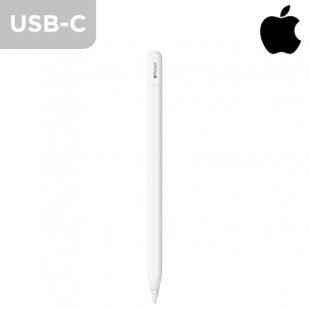
Apple Pencil USB-C
The widest-compatibility Apple Pencil at the lowest cost. A good fit for lecture notes, selecting and signing on iPad A16, the 10th generation and newer Air, Pro and mini models.
Check Current Price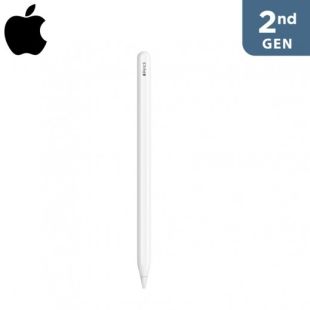
Apple Pencil 2nd Generation
Attaches magnetically to the side of the iPad and charges automatically, with pressure sensitivity for drawing. The right pick for the older iPad Pro, Air and mini models it supports.
Check Current Price
Apple Pencil 1st Generation
The genuine option for the standard iPad, with pressure and tilt sensitivity for writing and drawing, working with the supported iPads in the list above.
Check Current Price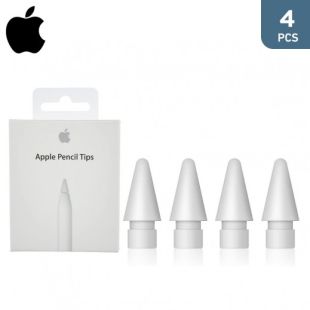
Apple Pencil Tips, 4 Pcs
A box of genuine tips that restores the pencil's precision after wear. A small, low-cost item that saves you before an important deadline.
Check Current Price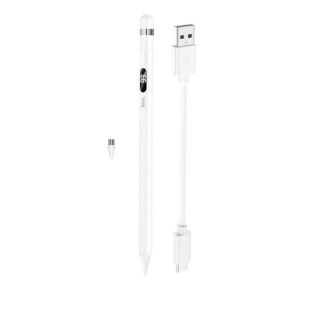
Universal Capacitive Stylus Pen by Hoco
A budget alternative for browsing and selecting that works on phones and tablets with no pairing. Suited to children or as a spare, not for pressure sensitivity.
Check Current Price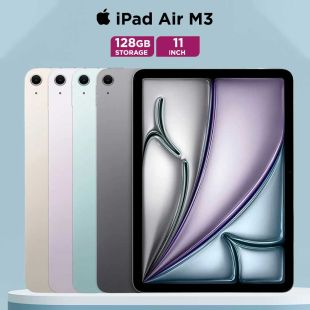
Apple iPad Air 11-inch M3, 128GB
A device that supports both Apple Pencil Pro and Apple Pencil USB-C, suited to study and light design. Order it with the compatible pencil in the same basket.
Check Current Price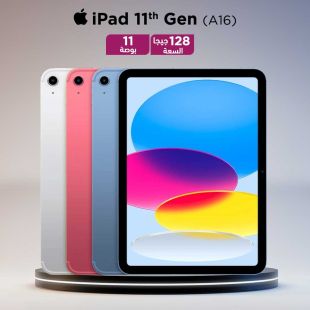
Apple iPad 11-inch A16, 128GB
The standard iPad for everyday study. It accepts Apple Pencil USB-C and the 1st generation, and it does not support Apple Pencil Pro.
Check Current Price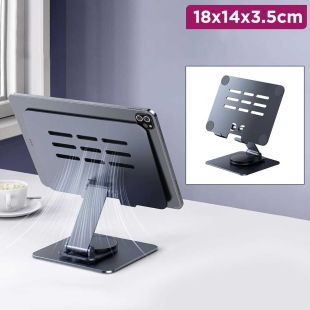
iPad and Laptop Stand
Lifts the screen to a better angle for writing with the pencil and eases the strain on neck and wrist during long study sessions.
Check Current PriceBefore you confirm the order, check three things: your iPad model name, the pencil generation written on the product page, and whether you need pressure sensitivity. Those three questions settle the decision in most cases and spare you a wrong purchase.
How to Order an Apple Pencil From Sheeel
First, find your iPad model name in Settings and match it against the compatibility table above.
Second, choose the pencil from the cards, and add a box of replacement tips or a stand if you will study or draw for long hours.
Third, complete payment with KNET or your bank card, and enter a delivery address inside Kuwait.
Fourth, when it arrives, attach a magnetic pencil to the side of the iPad so it pairs and charges, or connect it with the cable if it is the USB-C model.
Why Kuwaitis Trust Sheeel for Apple Pencil
A pencil is a small and expensive item, and a compatibility mistake means a return and a wait, which is the last thing you want the week before exams or a deadline. At Sheeel you find genuine Apple Pencils, tips and devices in one place, with delivery across Kuwait and secure payment.
If you are getting ready for school or university, see the back-to-school shopping list, compare phones in the iPhone 18 Pro Max guide for Kuwait, and for drawing and study apps read the iTunes card guide for Kuwait.
Apple Pencil and iPad Stylus FAQ
Apple Pencil Pro offers pressure sensitivity, squeeze, barrel roll, haptic feedback and Find My support, and it charges magnetically. Apple Pencil USB-C is simpler: no pressure sensitivity and it charges with a cable, but it is more widely compatible and costs less.
No. iPad Air with M2, M3 and M4 supports only Apple Pencil Pro and Apple Pencil USB-C. The 2nd generation is for the older iPad Air 4 and 5, iPad Pro and iPad mini 6.
Both support Apple Pencil USB-C and Apple Pencil 1st generation. Apple Pencil Pro and the 2nd generation are not supported on them.
It replaces it for browsing, selecting and simple signing. It has no pressure or tilt sensitivity, so it does not suit drawing or precise handwriting. That is where an Apple Pencil is worth the price difference.
The genuine tip box offered at Sheeel is made for Apple Pencils. Check the product page to confirm compatibility with your pencil generation before ordering.
Open Settings, then General, then About, and read the model name, then compare it with the compatibility table on this page. The chip name, such as M3 or A16, makes matching easier.
Choose the compatible pencil from the devices and accessories section at Sheeel, complete payment securely, and the order is delivered to every area of Kuwait.
Order the Pencil That Matches Your iPad
Match your model, pick your pencil, and finish the order in minutes.
Browse Devices and Tablets
